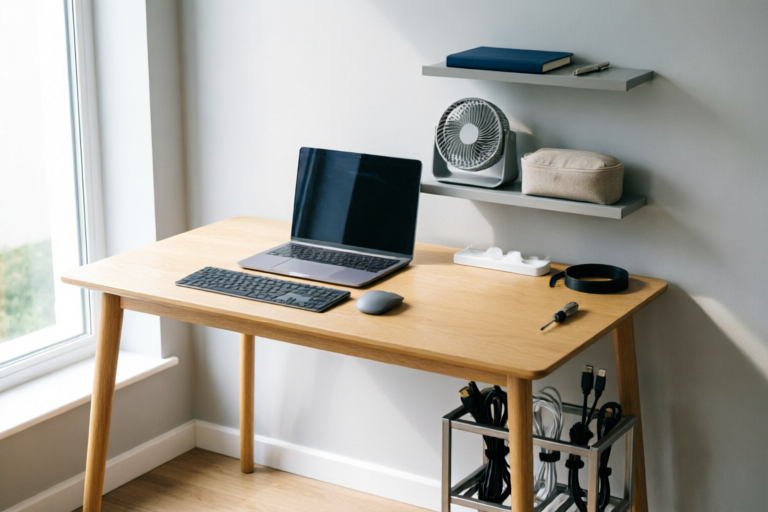
Step-by-Step Guide to Setting Up a Home Office
Efficient Home Office, Happy Work Environment
1. Introduction to Home Office Setup
Understanding the Benefits of Working from Home
Working from home offers numerous advantages, including flexibility in scheduling, reduced commuting time, and increased job satisfaction. With the rise of remote work, more professionals are opting to create dedicated home offices that cater to their specific needs.
Identifying Key Factors for a Productive Home Office Environment
A productive home office is characterized by several key elements:
- Comfort: A comfortable workspace ensures that you can maintain good posture and avoid strain.
- Privacy: Having a quiet, private space helps minimize distractions and enhances focus.
- Technology: Reliable internet connectivity and essential software tools are crucial for effective communication and collaboration.
- Organization: A well-organized workspace reduces clutter and promotes efficiency.
2. Choosing the Right Space
Selecting an Appropriate Room or Area in Your Home
The first step in setting up your home office is selecting the right location. Ideally, choose a room that is quiet and free from distractions. If possible, opt for a room with a door that can be closed to separate work from living spaces. Ensure that the room has enough space for your desk, chair, and any other equipment you need.
Ensuring Adequate Lighting and Ventilation
Good lighting is essential for reducing eye strain and improving productivity. Natural light is ideal, but if that's not available, consider investing in high-quality artificial lighting. Proper ventilation is also important to keep the air fresh and promote concentration. If your chosen room lacks sufficient airflow, consider installing a fan or air purifier.
3. Essential Furniture and Equipment
Ergonomic Chairs and Desks for Comfort and Health
An ergonomic chair and desk are critical investments for maintaining good posture and preventing back pain. Look for a chair with adjustable height, lumbar support, and armrests. The desk should be at a comfortable height to allow your arms to rest naturally while typing. Consider using a standing desk converter if you prefer alternating between sitting and standing throughout the day.
Reliable Computers, Printers, and Other Necessary Hardware
Your computer is the heart of your home office. Choose a model that meets your specific needs, whether it's for basic tasks like word processing or more demanding applications like video editing. Invest in a reliable printer for easy document management. Additional hardware such as external hard drives, scanners, and webcams may also be necessary depending on your workflow.
4. Setting Up Efficient Technology
High-Speed Internet Connection and Reliable Wi-Fi
A stable and fast internet connection is vital for seamless communication and access to cloud-based tools. Ensure your internet service provider offers speeds that match your requirements, especially if you're involved in video conferencing or large file transfers. A strong Wi-Fi signal is equally important; consider placing your router strategically or using a Wi-Fi extender if necessary.
Software Tools for Productivity and Communication
Invest in software that streamlines your workflow and facilitates collaboration. Popular options include project management tools like Trello or Asana, communication platforms like Slack or Microsoft Teams, and cloud storage solutions like Google Drive or Dropbox. Additionally, consider using specialized software for your industry, such as design software for creatives or accounting software for financial professionals.
5. Organizing Your Workspace
Creating Storage Solutions for Documents and Supplies
Proper storage is key to keeping your workspace tidy and organized. Use filing cabinets, shelves, or drawers to store important documents and supplies. Label everything clearly to make finding what you need quick and easy. Consider digital storage solutions for frequently accessed files to reduce physical clutter.
Minimizing Clutter and Distractions for Better Focus
Clutter can significantly impact your ability to concentrate. Keep only essential items on your desk and store non-essential items out of sight. Personalize your space with items that inspire creativity, but avoid excessive decorations that might become distracting. Implement strategies to manage incoming emails and messages to prevent interruptions during focused work periods.
6. Personalizing Your Home Office
Adding Personal Touches to Enhance Mood and Creativity
Personalizing your home office can boost your mood and creativity. Incorporate elements that reflect your personality, such as artwork, plants, or photos. Choose colors that promote calmness and productivity, such as blues or greens. Consider adding soft lighting fixtures or ambient sounds to create a relaxing atmosphere.
Maintaining a Clean and Inviting Atmosphere
Regular cleaning and maintenance are essential for keeping your home office inviting and functional. Wipe down surfaces, vacuum, and dust regularly. Refresh your space periodically by rearranging furniture or updating decor. A clean and organized workspace fosters a positive mindset and encourages productivity.
7. Conclusion: Tips for Long-Term Success
Regular Maintenance and Adjustments to Your Setup
Your home office setup may evolve over time as your needs change. Regularly assess your workspace and make adjustments as necessary. This could involve upgrading equipment, reorganizing storage solutions, or modifying your layout to accommodate new tasks or projects. Staying proactive about maintenance will help ensure your home office remains efficient and comfortable.
Adapting to Changing Needs and Preferences Over Time
As your career progresses, your home office should adapt to meet new challenges and opportunities. Be open to experimenting with different setups and technologies to find what works best for you. Continuously seek ways to improve your workflow and maintain a balance between productivity and well-being. By staying flexible and attentive to your evolving needs, you can enjoy long-term success in your home office.
Comments

Instead of buying expensive furniture, I found some great deals at thrift stores. Just make sure everything is ergonomically sound!

The section on software tools was spot on. Slack and Trello have been game changers for staying organized.

Does anyone have tips for organizing cables? Mine always end up tangled and messy.

Worked for me! I followed the steps and even managed to fit everything into a small room without sacrificing functionality.

Adding some plants and pictures made such a difference in my office. It feels more like 'me' now and I'm less stressed during the day.

I was wondering if anyone else had trouble with their Wi-Fi after setting up all their equipment? The guide mentions high-speed internet but doesn't go into much detail about troubleshooting.

This guide really helped me set up my home office! I especially liked the part about choosing the right space. My productivity has skyrocketed since I moved to a quieter corner of the house.