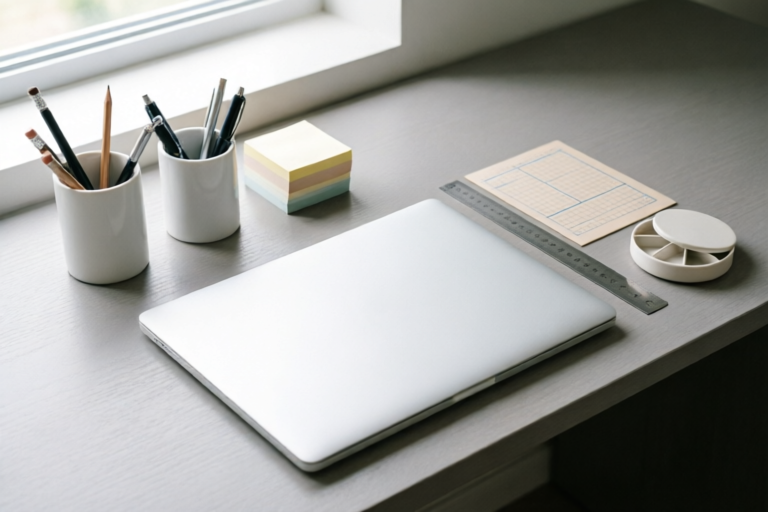
How to Organize Your Workspace for Maximum Productivity
Organize Your Space, Boost Your Productivity
Introduction to Workspace Organization
Creating a well-organized workspace is crucial for maximizing productivity. A cluttered environment can lead to stress, distractions, and decreased efficiency. In this article, we will explore various strategies to help you organize your workspace effectively.
Importance of a Well-Organized Workspace
A clean and organized workspace can significantly improve your ability to concentrate and perform tasks efficiently. It reduces mental fatigue and allows you to focus on the work at hand rather than being distracted by disarray. Additionally, a tidy workspace can foster creativity and inspiration, making it easier to come up with innovative ideas.
Common Challenges Faced in Maintaining an Organized Space
Despite recognizing the benefits, many people struggle to maintain an organized workspace due to several common challenges:
- Procrastination: Putting off organizing tasks can lead to a buildup of clutter over time.
- Overaccumulation: Collecting too many items that are rarely used or needed.
- Lack of Storage Solutions: Insufficient shelving, drawers, or bins can make it difficult to keep everything neatly arranged.
- Changing Priorities: As projects evolve, so do the tools and materials required, which can complicate efforts to stay organized.
Overview of the Benefits of a Productive Workspace
An organized workspace offers numerous advantages, including increased efficiency, reduced stress, improved focus, and enhanced creativity. By creating a functional and aesthetically pleasing environment, you set yourself up for success both personally and professionally.
Decluttering Your Workspace
The first step toward organizing your workspace is decluttering. This involves identifying and removing unnecessary items that do not serve any purpose in your current workflow.
Identifying Unnecessary Items and Disposing of Them
To begin, take stock of all items on your desk and throughout your workspace. Ask yourself:
- Do I use this regularly?
- Does this item bring value to my work?
- Can I replace this with something more efficient or modern?
Once you have identified items that no longer serve a purpose, consider donating them, recycling them, or simply discarding them if they are truly useless. Be ruthless in your evaluation; every item left behind should contribute positively to your productivity.
Sorting and Categorizing Essential Tools and Materials
After decluttering, it's important to sort and categorize the remaining items. Group similar items together, such as stationery supplies, office documents, and electronic devices. This makes it easier to find what you need quickly without wasting time searching through piles of unrelated objects.
Implementing Storage Solutions Such as Shelves, Drawers, and Bins
Investing in proper storage solutions can greatly enhance the functionality of your workspace. Consider adding shelves, drawers, and bins to store various types of materials neatly out of sight. Labeling these containers helps ensure that everything stays in its place when not in use.
Setting Up an Ergonomic Layout
Ensuring that your workspace is ergonomically designed can prevent discomfort and injuries while promoting better posture and overall health.
Positioning Your Desk and Chair for Optimal Comfort
Your desk and chair should be positioned to promote good posture and reduce strain on your body. Ideally, your elbows should form a 90-degree angle when typing, and your feet should rest flat on the floor or a footrest. Adjust the height of your monitor so that the top of the screen is at eye level to avoid neck strain.
Arranging Equipment (Computer, Phone, etc.) for Easy Access
Place frequently used equipment within easy reach but avoid overcrowding your desk. Keep essential items like your keyboard, mouse, and phone close enough for convenience yet far enough away to maintain a clear working surface. Consider using cable management solutions to keep cords from becoming tangled and causing clutter.
Ensuring Adequate Lighting and Ventilation
Good lighting is essential for reducing eye strain and improving mood. Natural light is ideal, but if this isn't possible, opt for bright LED bulbs or daylight lamps. Ensure that there are no harsh shadows cast across your work area. Proper ventilation also plays a role in maintaining air quality, which can affect concentration levels.
Utilizing Technology for Organization
In today's digital age, leveraging technology can streamline organizational processes even further.
Leveraging Digital Tools Like Calendars, Task Managers, and Cloud Storage
Use digital calendars and task managers to schedule appointments, deadlines, and reminders. Cloud storage services allow you to save important files securely online, making them accessible from anywhere at any time. This eliminates the need for physical filing systems and reduces paper waste.
Automating Repetitive Tasks Through Software and Apps
Automate routine tasks such as data entry, email sorting, or document formatting using specialized software and apps. This frees up valuable time that can be spent on more creative or strategic endeavors.
Scheduling Regular Reminders and Check-Ins
Set up recurring alerts to remind yourself about upcoming meetings, deadlines, or other important events. These reminders can be set via calendar apps or desktop notifications. Regular check-ins with yourself regarding progress made towards goals can also keep motivation high.
Maintaining Order and Discipline
Consistency is key when it comes to keeping your workspace organized over extended periods.
Establishing Daily Routines for Tidying Up
Make tidying up part of your daily routine. Spend a few minutes each day putting things back where they belong before leaving for the evening. This small habit prevents clutter from accumulating and keeps your workspace fresh.
Creating Zones Within Your Workspace for Different Activities
Designate specific areas within your workspace for different types of activities. For example, one corner could be dedicated solely to writing, another for reading, and yet another for brainstorming sessions. This separation helps minimize distractions and keeps each activity contained within its own space.
Encouraging Family Members or Roommates to Respect Your Space
If others share your living or working space, communicate clearly about boundaries and expectations surrounding personal workspace etiquette. Politely request that they ask permission before borrowing anything or entering your designated area during focused times.
Conclusion and Final Tips
By following the steps outlined above—decluttering, setting up an ergonomic layout, utilizing technology, and maintaining discipline—you can create a highly productive workspace tailored specifically to meet your needs.
Recap of Key Points Discussed in the Article
- Decluttering removes unnecessary items and streamlines workflow.
- An ergonomic setup promotes comfort and reduces health risks.
- Digital tools assist in staying organized and efficient.
- Consistent maintenance ensures long-term organization.
Additional Strategies for Enhancing Productivity Through Organization
Consider incorporating plants into your workspace for added ambiance and improved air quality. Use color-coded labels or folders to categorize similar items easily. Finally, don't hesitate to adjust your setup periodically based on changing needs or preferences.
Call to Action for Readers to Implement Changes in Their Own Workspaces
We hope this guide has inspired you to take action and improve your own workspace organization. Start by tackling one area at a time until you achieve the perfect setup that enhances both productivity and satisfaction.
Comments

Not sure about the automation part. Any recommendations for beginner-friendly apps?

Daily tidy-up is a game changer. It only takes 5 minutes and keeps my space looking neat all day.

The lighting section was super important. I added some desk lamps and now I don't strain my eyes as much.

Creating zones helped me focus. Now I have a writing corner and a reading area. Super helpful for staying productive.

Decluttering was tough but necessary. I donated a lot of stuff. Any tips for keeping it that way?
I was skeptical about the ergonomic setup but after adjusting my chair and desk, I feel less tired during long hours. Worth it!

Loved the part about tech tools. I started using Trello and it changed everything! Anyone else use it for organizing?

Worked for me! I finally got rid of all that junk on my desk. Now I only keep what I really need. Feels so much better.