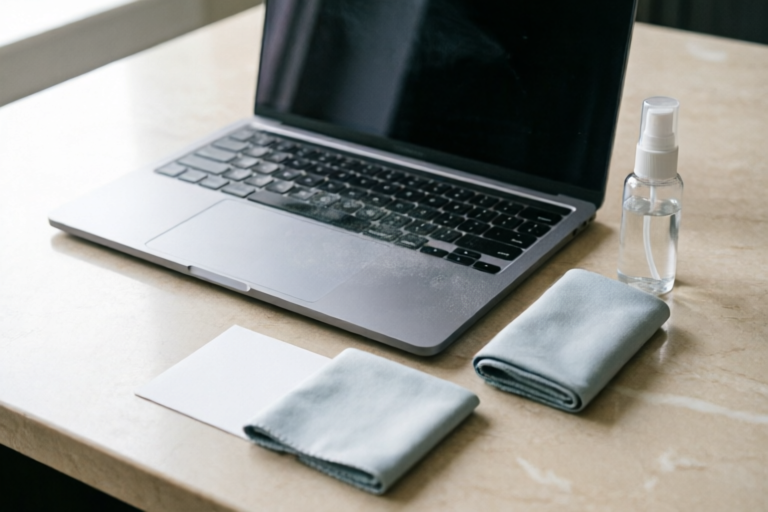
How to Clean Your Laptop Screen Effectively
Keep Your Laptop Screen Sparkling Clean
Introduction to Laptop Screen Cleaning
Cleaning your laptop screen is an important part of maintaining your device's appearance and functionality. Over time, dust, oils, and other contaminants can build up on your screen, potentially causing damage or reducing visibility. In this article, we'll explore why it's crucial to clean your laptop screen regularly, common dirt and contaminants that accumulate, and the potential risks of neglecting this task.
Importance of Keeping Your Laptop Screen Clean
A dirty laptop screen can lead to reduced contrast, poor image quality, and even scratches. Regular cleaning helps maintain optimal performance and extends the life of your device. Additionally, a clean screen enhances user experience by providing clearer visuals and easier navigation.
Common Dirt and Contaminants That Accumulate on Screens
Over time, your laptop screen can become covered in various types of dirt and contaminants. These include:
- Fingerprints: Oils from your skin can leave smudges and streaks on the screen.
- Dust: Fine particles can settle on the surface, affecting clarity.
- Grease: Spills or accidental contact with greasy substances can create difficult-to-remove stains.
- Pet Hair: If you have pets, their hair can stick to the screen.
Potential Risks of Not Cleaning Your Laptop Screen Regularly
Failure to clean your laptop screen can result in:
- Reduced Visibility: Dirty screens make it harder to see what's on the display.
- Scratches: Improper cleaning techniques can cause scratches on the screen's surface.
- Damage: Some contaminants can react with the screen material, leading to permanent damage.
Essential Tools for Cleaning Your Laptop Screen
To effectively clean your laptop screen, you'll need the right tools. Here’s what you should have on hand:
Recommended Cleaning Supplies
The following items are recommended for cleaning your laptop screen:
- Microfiber Cloth: A soft, lint-free cloth designed specifically for electronics.
- Screen Cleaner: A gentle, ammonia-free solution formulated for use on electronic screens.
- Soft Brush: For removing larger particles of dust or debris.
Avoiding Harmful Materials
Some materials can damage your laptop screen:
- Paper Towels: These are too rough and can scratch the screen.
- Alcohol: While some cleaners contain alcohol, using pure alcohol can harm the screen coating.
- Ammonia-Based Cleaners: These can degrade the screen's protective layer.
Preparing Your Workspace for Cleaning
Before you begin cleaning, ensure your workspace is suitable:
- Choose a flat, stable surface.
- Ensure good lighting to see all areas of the screen clearly.
- Unplug your laptop and turn it off to prevent any accidents.
Step-by-Step Guide to Cleaning Your Laptop Screen
Follow these steps to clean your laptop screen safely and effectively:
Turning Off the Laptop and Unplugging It from Power Sources
Always start by turning off your laptop and unplugging it from any power sources. This ensures safety and prevents any electrical accidents.
Gently Wiping the Screen with a Dry Microfiber Cloth
Use a dry microfiber cloth to gently wipe the screen in a circular motion. This will remove most dust and debris without needing any additional cleaning solutions.
Using a Small Amount of Screen Cleaner if Necessary
If the screen is particularly dirty, you may need to use a small amount of screen cleaner. Apply a few drops to the cloth, not directly onto the screen. Then, gently wipe the screen again in a circular motion.
Repeating the Process as Needed Until the Screen is Spotless
Continue cleaning until the screen is completely free of dirt and smudges. If necessary, repeat the process with a fresh cloth and more cleaner.
Additional Tips for Maintaining a Clean Laptop Screen
Preventive measures can help reduce the frequency of cleaning and extend the life of your screen:
Preventive Measures to Avoid Buildup
Consider the following preventive measures:
- Screen Protectors: These can protect your screen from scratches and smudges.
- Proper Positioning: Elevate your laptop to prevent spills and reduce exposure to dust.
- Regular Cleaning Schedule: Set a routine for cleaning your screen based on usage and environmental factors.
Frequency of Cleaning Based on Usage and Environment
The frequency of cleaning depends on several factors:
- Usage: Frequent users may need to clean more often.
- Environment: Dusty or humid environments require more frequent cleaning.
Handling Specific Issues Like Sticky Fingerprints or Smudges
For stubborn fingerprints or smudges, try:
- Using a slightly dampened microfiber cloth.
- Applying a small amount of rubbing alcohol to the cloth (avoiding direct contact with the screen).
Troubleshooting Common Cleaning Issues
Sometimes, despite your best efforts, issues may arise:
Identifying and Addressing Streaks, Scratches, or Other Marks
If you notice streaks or scratches after cleaning, try:
- Using a different cleaning method or product.
- Ensuring the cloth is dry before applying cleaner.
Dealing with Persistent Dirt or Grime That Won't Come Off Easily
If dirt or grime persists, consider:
- Using a specialized cleaner designed for tough stains.
- Consulting the manufacturer's guidelines for recommended cleaning methods.
When to Seek Professional Help for Stubborn Stains or Damage
In cases of severe damage or persistent stains, it's best to consult a professional technician who can assess and repair the screen without causing further harm.
Conclusion and Final Thoughts
Regularly cleaning your laptop screen is essential for maintaining its appearance and functionality. By following the steps outlined in this article, you can ensure your screen remains clear and free from dirt and contaminants. Remember to always follow the manufacturer's guidelines when cleaning your device to avoid any potential damage. With proper care, your laptop screen will continue to provide sharp, clear images for years to come.
Comments

Had some streaks after cleaning. Any advice?

I clean my laptop every week now. It really helps keep it looking new.

Great tips! I didn't know that paper towels could scratch the screen. Thanks for the heads up.

Worked for me. My screen looks brand new after just one cleaning session.

I always use a damp cloth with a little bit of water. Works great and saves money on cleaners!

Is it really safe to use screen cleaner? I've heard mixed things about it.

Finally got around to cleaning my laptop screen. Used a microfiber cloth as suggested and it worked wonders! No more smudges.